
What Is CSF in PhilHealth? Claim Signature Form Guide (2026)
CSF stands for Claim Signature Form. It’s the PhilHealth form where the member, employer, attending doctors and hospital sign off on an inpatient claim, and under eClaims it is a mandatory scanned attachment. PhilHealth Advisory 2018-0068 says “the CSF alone shall suffice in eClaims submission,” so the hospital usually files it. You complete Part I and sign Parts I and III. I almost wrote that PhilHealth updated the CSF for 2026, because download sites label it “2018-2026.” PhilHealth’s own file is still the September 2018 revision.
On this page
What Is CSF in PhilHealth?
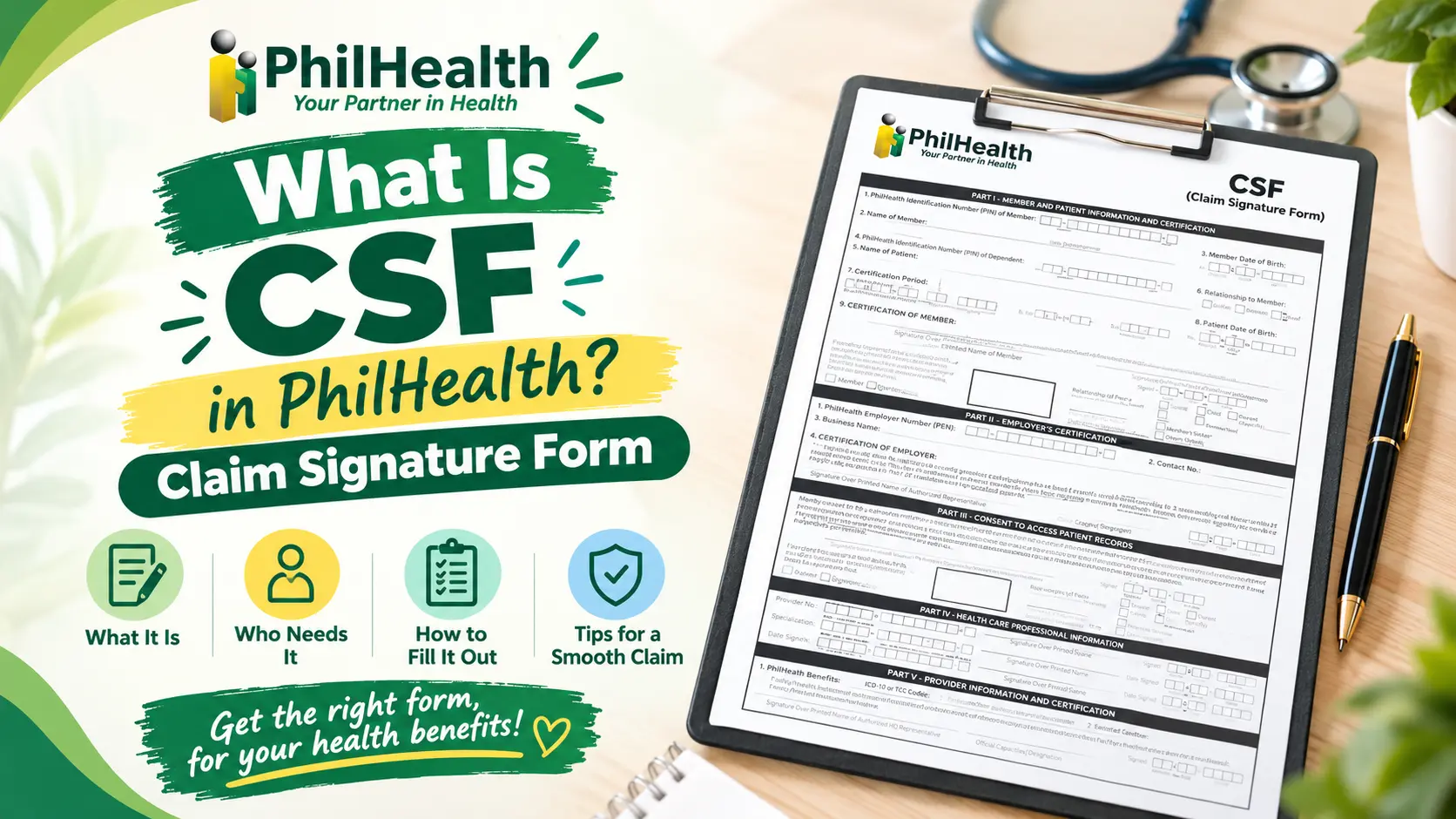
CSF means Claim Signature Form. It is a PhilHealth form, revised September 2018, with five parts: member and patient details, the employer’s contribution certification, consent to access patient records, the attending health professionals’ signatures, and the hospital’s certification with case rate codes. Accredited hospitals attach it to your claim in eClaims (Advisory 2018-0031), so you fill in and sign your parts and the hospital completes the rest.
| Part | Who completes it | What it contains |
|---|---|---|
| I | Member or representative | PINs, names, relationship, confinement dates, member certification |
| II | Employer (employed members only) | PEN, business name, contribution certification |
| III | Member, patient or representative | Consent for PhilHealth to review medical records |
| IV | Attending health professionals | Accreditation numbers and signatures, three slots |
| V | Hospital’s authorized representative | ICD-10 or RVS codes for first and second case rate, service certification |
Eligibility for the claim itself depends on your contributions. See our guide on using PhilHealth more than once for the nine-in-12 rule behind Part II.
What Is the Difference Between CSF and CF1?
The CSF collects signatures and certifications. CF1 is Claim Form 1, also revised September 2018, and it collects member details such as mailing address, sex, and contact numbers, plus patient information for dependents, the member’s certification, and the employer’s certification. Part V of CF1 is for PhilHealth’s use only.
PhilHealth Advisory 2018-0068 reiterates that “the CSF alone shall suffice in eClaims submission.” If the CSF is missing, a properly completed CF1 and CF2 is still accepted, and PhilHealth may ask for CF1 and CF2 when a hospital’s encoded data is inconsistent.
Where Can I Get the CSF Form?
Ask the PhilHealth desk or billing section of the hospital where you are admitted. Accredited hospitals use the CSF when they transmit claims, and Advisory 2018-0031 told them to use the updated, downloadable version.
You can also download the blank form from PhilHealth’s own site. The file is ClaimSignatureForm_2018.pdf in PhilHealth’s claim downloads. You do not mail it to PhilHealth yourself, because the hospital files the claim.
Bring your PIN, a valid ID and your Member Data Record. Hospitals typically ask for them, though practice varies. St. Luke’s patient guide says forms are checked in its PhilHealth section prior to or upon discharge, and then the billing officer deducts the benefit from the bill. That guide describes CF1 and CF2 and does not mention the CSF, so another hospital may handle it differently. Lost your number? See how to recover a lost PhilHealth number.
How Do I Fill Up the PhilHealth CSF Form?
You complete Part I, sign Parts I and III, and ask your employer to complete Part II if you are employed. The form says to write in capital letters and check the boxes, that all fields are required, and that forms with missing information are not processed.
- Get the current form. Take it from the hospital’s PhilHealth desk or PhilHealth’s download page. The most common mistake is using an old pre-October 2018 version.
- Fill in Part I, items 1 to 8. Write the member’s PIN, name (last, first, middle, extension such as JR) and date of birth. For a dependent patient, add the dependent’s PIN, name, relationship (child, parent or spouse) and date of birth, then the dates admitted and discharged.
- Sign item 9. Sign over your printed name and write the date. If you cannot write, use your right thumbmark with an HCI representative’s assistance.
- Hand Part II to your employer. The employer writes its PhilHealth Employer Number, contact number and business name, then certifies that your premiums met the “sufficient regularity” requirement. Employed members only.
- Sign Part III. This consents to PhilHealth reviewing the patient’s relevant medical records. The member, patient or representative signs and ticks which one.
- Leave Parts IV and V to the hospital. Attending health professionals add accreditation numbers and signatures. The hospital adds ICD-10 or RVS codes for the first and second case rate.
- Check before you hand it in. Compare names and PINs with your MDR, confirm both dates, and check every required signature.
Do the Names on My CSF Have to Match My MDR?
They should match. PhilHealth’s guidelines for CF1 say a legal dependent’s name should appear in the MDR, proof of dependency should be attached if it does not, and a member whose name differs from the MDR should attach supporting documents such as a birth certificate or marriage contract.
Those guidelines cover CF1 and do not mention the CSF, so treat them as good practice for the CSF, not as a CSF rule. Check your Member Data Record before admission, and use the PMRF form guide if a dependent still needs to be declared.
Who Can Sign the CSF if I Can’t?
An authorized representative can sign Part I and Part III for the member or patient. The representative ticks the box for the relationship (spouse, child, parent, sibling or others) and the reason (the member or patient is incapacitated, or other reasons).
If the signer cannot write, the form uses a right thumbmark, with assistance from an HCI representative. Leave neither the relationship nor the reason blank, because the form requires all fields.
Our authorization letter guide covers authorizing someone for other PhilHealth transactions. Whether a hospital also wants a letter for a CSF signed by a representative varies by facility, so ask its PhilHealth desk first.
Is There a Newer CSF Form Than 2018?
I found none. The CSF on PhilHealth’s claim downloads is marked “Revised September 2018.” Advisory 2018-0068 (Revision 1) updated the CSF, CF1 and CF2 to reflect the premium requirement in Circular 2017-0021, required accredited hospitals to use them from October 1, 2018, and said submissions without them would be returned from January 1, 2019.
Many third-party download sites label the form “2018-2026,” which makes it look newly revised. That label describes the site, not a PhilHealth update. PhilHealth’s 2025 circular on claims submission still lists the CSF as an eClaims submission and does not address electronic signatures.
That is a negative finding, not a guarantee. PhilHealth can reissue forms by advisory, so check the claim downloads on philhealth.gov.ph and ask your hospital for the version it currently uses.
Who Files the CSF, and What Is the Deadline?
The hospital files it. Under eClaims, PhilHealth’s 2025 circular says the health facility submits the CSF, a Statement of Account, Claim Form 4, Claim Form 3 where applicable, and supporting documents. Advisory 2018-0031 calls the CSF “one of the mandatory scanned image attachments in claims adjudication.”
The filing deadline is 60 calendar days from the date of discharge, which that circular quotes from Republic Act 10606, Section 35. Your job is to finish your parts before you leave, because a missing signature can send the claim back after you have gone home.
The CSF also helps with the physician’s signature. Advisory 2019-0008 says the CSF, which bears the physician’s name and signature, serves as the reference for the CF4 in electronic submissions.
How Much Can I Claim From PhilHealth?
The CSF itself shows no peso amount. The benefit is the case rate for the diagnosis or procedure the hospital codes in Part V, using ICD-10 or RVS codes for the first case rate and, where it applies, the second case rate.
Check what your diagnosis pays in the case rates guide. Some conditions have their own packages, covered in the Z Benefit guide, and the benefits guide lists the rest.
Your eligibility depends on your paid contributions. Check your amount with the contribution calculator, and see the contribution guide for how premiums work. If you pay on your own, the Informal Economy guide explains your category.
What Mistakes Get a CSF Returned?
- Trusting a “2018-2026” label. I nearly did. The only version I could confirm on PhilHealth’s site is the September 2018 revision.
- Using a pre-October 2018 form. Advisory 2018-0068 says submissions without the updated forms are returned.
- Leaving fields blank. The form says all fields are required and incomplete forms are not processed. Check the discharge date before you leave.
- Skipping the representative boxes. A representative who signs must state the relationship and the reason.
- Names that don’t match the MDR. PhilHealth’s CF1 guidelines ask for supporting documents when they differ, and I’d expect the same care with the CSF.
- Sending an employed member’s Part II to the wrong place. Only the employer completes it, so ask early, before discharge day.
Frequently Asked Questions
What is CSF in PhilHealth?
CSF is the Claim Signature Form, a PhilHealth form where the member, employer, attending health professionals and hospital certify an inpatient claim. Accredited hospitals attach it to claims in eClaims.
What is CSF and CF1?
CSF is the Claim Signature Form for signatures and certifications. CF1 is Claim Form 1, which collects member and dependent details. Advisory 2018-0068 says the CSF alone suffices for eClaims, with CF1 and CF2 as backup.
Where can I get the CSF form?
Ask the hospital’s PhilHealth desk or billing section, or download the blank form from PhilHealth’s claim downloads page. You don’t mail it yourself, because the accredited hospital transmits the claim through eClaims.
How do I fill up the PhilHealth CSF form?
Write in capital letters and complete every field. Fill in Part I, sign Parts I and III, and ask your employer for Part II if employed. The hospital completes Parts IV and V.
What is the latest PhilHealth CSF form?
PhilHealth’s CSF on its claim downloads is marked “Revised September 2018,” updated under Advisory 2018-0068. I found no newer version. Sites labeling it “2018-2026” are not PhilHealth updates, so confirm with your hospital.
How much can I claim from PhilHealth?
The CSF shows no amount. Your benefit is the case rate for the diagnosis or procedure coded in Part V. Look up your condition in the case rates guide, then confirm with the hospital’s billing section.
Does a self-employed member fill Part II of the CSF?
No. Part II is the employer’s certification and applies to employed members only. Self-paying members complete Part I, sign Part III, and leave Parts IV and V to the doctors and hospital.
Can someone sign my CSF for me?
Yes, an authorized representative can sign Parts I and III. The form requires them to tick their relationship (spouse, child, parent, sibling or others) and the reason, such as the member being incapacitated.
How long does the hospital have to file the claim?
Sixty calendar days from the date of discharge, according to Republic Act 10606, Section 35, as quoted in PhilHealth’s 2025 circular on claims submission. Finish your signatures before you leave.
Not sure which membership category you’re in?
Your category decides who completes Part II and how your premiums are checked. Our membership category guide explains each one, and the requirements guide lists what to bring.